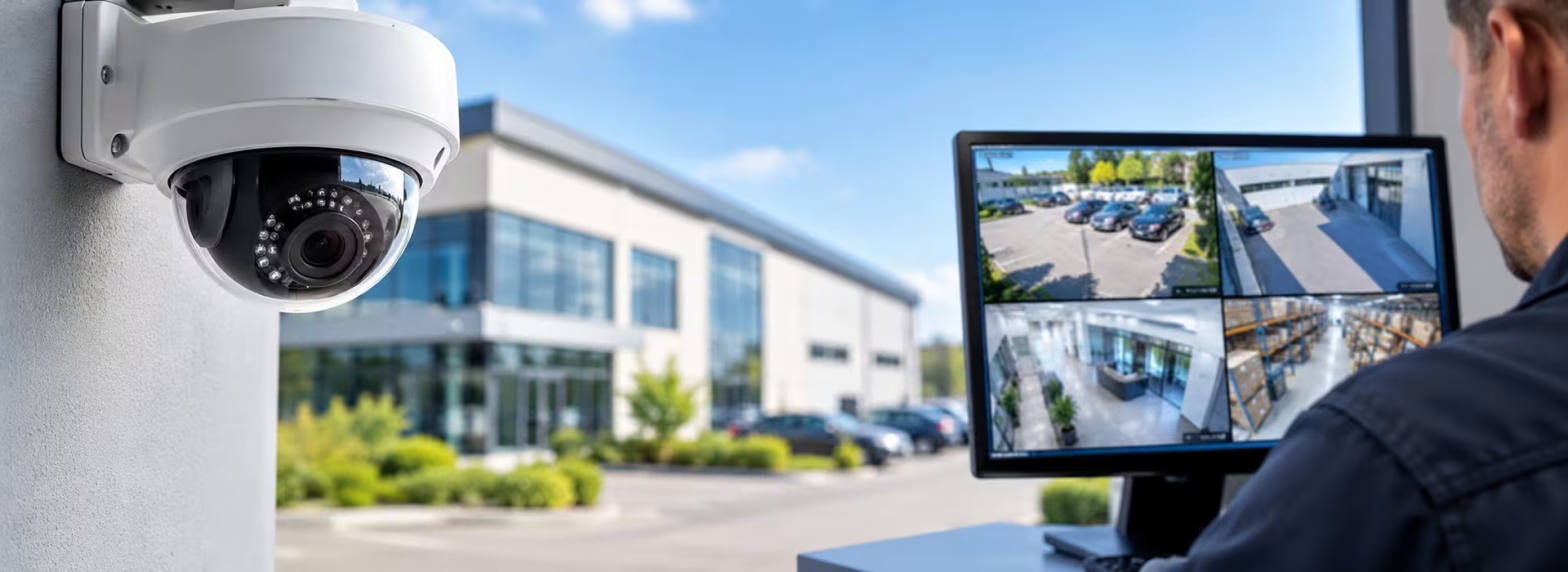
Commercial CCTV installation should start with your business’s security requirements, not simply the number of cameras you need. A well-planned CCTV system can help protect staff, customers, stock and property, deter unauthorised access, and provide useful footage when an incident occurs. However, the right solution depends on camera positioning, image quality, lighting, recording capacity, remote access, ongoing maintenance and UK data protection requirements.
Whether you manage an office, retail shop, warehouse, industrial unit, care home or apartment block, choosing the right commercial CCTV system requires careful planning. This guide explains the key considerations before installation, helping you make an informed decision and invest in a system suited to your premises.
Why Is Professional CCTV Installation Important for Commercial Properties?
Commercial premises often have several areas that require different levels of security, including entrances, reception areas, stockrooms, loading bays, car parks and external boundaries. A camera that provides a useful general view of a room may not capture enough detail to identify a person or vehicle.
Professional commercial CCTV installation helps ensure that camera locations, viewing angles, recording equipment and system settings are planned around your property’s layout and security objectives.
A suitable system can help your business:
- Deter theft, vandalism and unauthorised access.
- Monitor entrances, exits and other important access points.
- Protect stock, equipment and valuable assets.
- Review incidents and retrieve relevant recorded footage.
- Support staff safety and the management of business premises.
- View live or recorded footage remotely where the system supports secure remote access.
- Improve visibility across larger or multiple commercial sites.
CCTV is most effective when it forms part of a wider security plan. Depending on your premises, you may also need suitable intruder alarms, access control, security lighting and clear procedures for responding to incidents.
1. Start with a Commercial CCTV Site Survey
Before selecting cameras or approving an installation quote, assess your property and identify the security problems you want the system to address.
A site survey should consider the building layout, access points, existing security equipment, lighting conditions, potential obstructions, network infrastructure and the areas most vulnerable to incidents.
For example, a retail business may need clear views of entrances and payment counters, while a warehouse may prioritise loading bays, stock storage areas, perimeter gates and vehicle movements.
During the survey, consider the following questions:
- Which areas have experienced theft, vandalism or unauthorised access?
- Where do staff, customers, visitors and deliveries enter the premises?
- Which locations need detailed images rather than general monitoring?
- Are there blind spots, obstructions or poorly lit areas?
- Will the cameras need to operate outdoors in changing weather conditions?
- Who will manage the system and review recordings?
- Will existing cameras or recording equipment be suitable for reuse?
Defining these requirements early helps avoid unnecessary cameras, gaps in coverage and additional costs after installation.
2. Choose the Right CCTV Cameras for Your Business
Not every commercial property needs the same type of CCTV camera. The most suitable equipment depends on the location, environment, viewing distance and level of detail required.
IP CCTV Cameras
IP cameras transmit video over a network and can work with compatible network video recorders (NVRs) and remote viewing applications. They are commonly used in modern commercial CCTV installations where businesses need flexible system design, high-quality images and network-based management.
HD CCTV Cameras
HD cameras provide high-definition images and may be suitable for businesses upgrading older analogue systems. Compatibility with existing cabling, recorders and other equipment should be checked before deciding whether to upgrade individual components or replace the system.
Dome and Bullet Cameras
Dome cameras are often used indoors and in locations where a compact appearance is preferred. Bullet cameras can be suitable for clearly defined outdoor viewing areas and perimeter monitoring. The best option depends on mounting conditions, weather exposure, viewing angles and the intended purpose.
Specialist and Low-Light Cameras
Some commercial sites require cameras with improved low-light performance, infrared illumination, wide dynamic range or other specialist capabilities. These features can be useful in warehouses, car parks, loading areas and external access points, depending on the lighting and operating conditions.
The important point is to choose equipment according to the job it needs to perform. A camera specification should explain the required image quality and coverage rather than relying on resolution or camera count alone.
Explore our CCTV installation, upgrades and maintenance services to learn more about solutions for commercial premises.
3. Plan Camera Placement and Coverage Carefully
Camera positioning is one of the most important factors in commercial CCTV installation. Even a high-resolution camera may produce footage of limited value if it is mounted at an unsuitable height, pointed in the wrong direction or affected by strong backlighting.
Common areas to consider include:
- Entrances and exits: Capture useful views of people entering and leaving the building.
- Reception areas: Monitor visitor access and relevant activity around reception desks.
- Retail counters and tills: Cover payment areas and other locations where cash or valuable goods are handled.
- Warehouses and stockrooms: Monitor important storage areas, equipment and goods movement.
- Loading bays and delivery points: Record relevant activity involving deliveries, vehicles and stock transfers.
- Car parks and perimeter gates: Monitor vehicle access and selected external areas.
- Communal areas in managed properties: Cover appropriate shared entrances, corridors or access points where justified.
Each camera should have a clearly defined purpose. Some views may only need to show general activity, while others may need sufficient detail to identify a person or vehicle. The installation design should reflect these different requirements.
Camera positioning should also respect privacy. Avoid capturing neighbouring homes, private spaces or unrelated public areas unnecessarily. Where possible, adjust camera angles and use suitable privacy masking to limit unnecessary recording.
4. Consider Image Quality, Lighting and Night-Time Performance
Image quality is not determined by resolution alone. Lens selection, viewing distance, mounting position, lighting, movement and recording settings all affect how useful the footage will be.
Before approving a commercial CCTV installation, consider the following:
- Resolution: Select an appropriate level of detail for each camera’s purpose.
- Field of view: Ensure the camera covers the required area without making important subjects too small to identify.
- Lighting: Check for shadows, glare, strong sunlight and backlighting.
- Night-time performance: Test outdoor and poorly lit areas after dark, not just during daylight.
- Movement: Consider whether people or vehicles move quickly through the monitored area.
- Weather exposure: Choose equipment suitable for outdoor temperatures, rain and other environmental conditions.
Where identification is important, the camera should be tested in realistic conditions to confirm that the recorded image contains the required detail. A live view that looks clear on a monitor does not automatically mean the recorded footage will be equally useful.
5. Decide How Footage Will Be Recorded and Stored
Commercial CCTV systems commonly use a digital video recorder (DVR), network video recorder (NVR) or an appropriate cloud-based recording service. The right solution depends on the camera technology, the size of the installation, available network infrastructure, security requirements and budget.
Storage capacity should be calculated using factors such as the number of cameras, video resolution, frame rate, recording schedule, compression settings and intended retention period.
When planning CCTV recording and storage, ask:
- How much recorded footage will the business need to retain?
- Will cameras record continuously, when motion is detected, or using a combination of settings?
- Can authorised staff quickly find and export footage after an incident?
- What happens if the recorder, storage device or network connection fails?
- How will recordings be protected against unauthorised access, loss or deletion?
- Who is responsible for checking that cameras are recording correctly?
There is no universal CCTV retention period that applies to every business. The appropriate period should be based on the purpose of recording, the risks and the time reasonably needed to identify and investigate incidents. Footage should not be kept longer than necessary simply because the system has sufficient storage capacity.
The Information Commissioner’s Office guidance on CCTV and data protection explains the importance of limiting retention, controlling access and keeping recorded information secure.
6. Check Remote Viewing and System Connectivity
Many modern commercial CCTV systems allow authorised users to view live or recorded footage through a mobile phone, tablet or desktop computer. Remote access can be particularly useful for business owners, facilities managers and property managers responsible for multiple locations.
However, remote viewing should be configured securely rather than treated as an optional extra with no associated risks.
Important considerations include:
- Reliable internet connectivity and suitable network infrastructure.
- Individual user accounts and strong authentication.
- Access permissions based on each user’s responsibilities.
- Secure configuration of remote access and connected devices.
- Regular software and firmware updates where supported.
- A clear process for removing access when staff or contractors leave.
Businesses should also consider whether the CCTV system could affect other network services. A site survey can help determine the appropriate cabling, network equipment and bandwidth requirements before installation.
7. Understand UK CCTV Privacy and Data Protection Requirements
Installing CCTV at a commercial property involves more than selecting equipment and positioning cameras. If your system records identifiable people, data protection requirements may apply. Businesses should consider these obligations during the planning stage rather than after the system has been installed.
The UK government’s guidance on CCTV at commercial premises explains the responsibilities businesses need to consider when using surveillance cameras.
Establish a Clear Purpose and Lawful Basis
Decide why CCTV is necessary, such as protecting property, investigating security incidents or addressing a specific safety risk. Document the purpose and identify an appropriate lawful basis for processing personal data where required.
Display Clear CCTV Signs
People should be informed when they enter an area where CCTV is operating. Signs should be clearly visible and explain the purpose of the surveillance and who operates the system, with suitable contact information. Position signs where people can see them before entering the monitored area where practicable.
Control Access to Recordings
Only authorised people should be able to view, export or manage recorded footage. Businesses should have appropriate security controls and procedures for handling requests from individuals and sharing footage when lawfully required.
Set an Appropriate Retention Period
Keep recordings only for as long as they are necessary for the stated purpose. Review the retention period periodically and delete footage securely when it is no longer needed, unless there is a valid reason to preserve it, such as an ongoing investigation.
Check ICO Fee and Data Protection Obligations
Depending on how your business uses CCTV and whether an exemption applies, you may need to pay the Information Commissioner’s Office data protection fee. You should also assess whether a data protection impact assessment is required, particularly where surveillance is likely to create a high risk to individuals.
For current requirements, consult the ICO’s practical CCTV checklist for organisations and its full video surveillance guidance.
Businesses that monitor employees should also consider workplace privacy and transparency. Surveillance should be necessary and proportionate, with particular care taken around sensitive areas where people reasonably expect privacy.
8. Consider CCTV Installation Costs and Long-Term Value
The cost of commercial CCTV installation depends on the size and layout of the property, the number and type of cameras, recording requirements, cabling, network infrastructure, installation complexity and any integration with existing security systems.
A smaller shop may need a relatively straightforward installation, while a warehouse or multi-building site may require more cameras, longer cable runs, additional network equipment and greater recording capacity.
When comparing quotations, look beyond the initial installation price. Check whether the proposal includes:
- A site survey and documented camera layout.
- Suitable cameras and recording equipment.
- Required cabling, mounting and installation work.
- System configuration, commissioning and testing.
- Remote viewing setup, where required.
- User training and handover documentation.
- Warranty information and ongoing maintenance options.
A lower-cost quotation may not include all the features or support your business needs. Comparing the full specification helps you understand the differences between proposals and avoid unexpected expenses later.
9. Plan for CCTV Maintenance, Upgrades and Fault Finding
CCTV systems need ongoing attention to remain useful. Dirt, spider webs, changing foliage, damaged cables, outdated firmware and storage problems can affect system performance over time.
After installation, businesses should establish a suitable maintenance routine that includes:
- Checking that cameras are online and recording correctly.
- Inspecting camera lenses and cleaning equipment when required.
- Testing playback and confirming that footage can be exported.
- Checking the accuracy of date and time settings.
- Reviewing storage capacity and retention settings.
- Applying appropriate security updates and reviewing user access.
- Investigating faults and replacing defective equipment when necessary.
Existing systems may also benefit from an upgrade if image quality is inadequate, recording equipment is outdated, remote access is unavailable or important areas are no longer covered effectively.
Explore our CCTV maintenance, fault-finding and upgrade services for support with an existing commercial installation.
10. Choose a CCTV Installer Who Understands Commercial Requirements
The right installer should understand your property’s security objectives and explain how the proposed system will meet them. A good quotation should clearly describe the equipment, camera locations, recording arrangements, installation work and handover process.
Before choosing a commercial CCTV installation company, ask:
- Will you carry out a site survey before recommending the system?
- How will each camera meet the security requirements of its location?
- What recording and remote viewing options are available?
- How will the system be tested and commissioned?
- Will staff receive guidance on using the system?
- What maintenance, fault-finding and upgrade support is available?
- What experience and relevant qualifications or certifications does the provider have?
Ask the installer to explain any limitations, ongoing costs and maintenance requirements before work begins. Clear answers help you make a more informed decision and understand what to expect from your investment.
Frequently Asked Questions About Commercial CCTV Installation
What is the best CCTV system for a commercial property?
The best commercial CCTV system depends on your property layout, security risks, image quality requirements, recording needs and budget. IP cameras, HD cameras and specialist low-light equipment may all be suitable in different situations. A site survey helps identify the right combination for your premises.
How many CCTV cameras does a business need?
There is no fixed number of cameras required for every business. The number depends on the size of the property, access points, blind spots, security risks and the detail needed from each view. Camera placement and image quality are often more important than simply increasing the number of cameras.
Can commercial CCTV be viewed remotely?
Yes. Many modern commercial CCTV systems support remote viewing through compatible mobile apps, tablets or desktop software. Remote access must be configured securely, with appropriate user permissions and strong authentication.
How long can a business keep CCTV footage?
There is no universal retention period for all business CCTV systems. Recordings should be kept only for as long as necessary for the purpose of the surveillance, taking account of the risks and operational requirements. The business should document and periodically review its retention policy.
Does a business need CCTV signs?
Where data protection requirements apply, people should be clearly informed that CCTV is operating. Signs should explain the purpose of the surveillance and provide appropriate information about the organisation operating the system and how to contact it. Consult the ICO’s CCTV guidance for details.
Can an existing commercial CCTV system be upgraded?
Yes. Depending on compatibility and the condition of the existing equipment, an installation may be upgraded with higher-resolution cameras, improved recording equipment, remote viewing or additional cameras. A technical assessment can help determine whether upgrading individual components or replacing the system is the better option.
Does CCTV need regular maintenance?
Yes. Periodic checks help confirm that cameras are recording correctly, images remain clear, storage is working and the system is secure. The appropriate maintenance frequency depends on the equipment, environment, risks and the manufacturer’s recommendations.
Arrange Commercial CCTV Installation with Fire & Theft Protection UK
Choosing the right CCTV system is an important step towards improving security across your commercial property. From camera positioning and recording capacity to remote access, privacy and ongoing maintenance, careful planning helps ensure that your system meets your business’s actual needs.
Fire & Theft Protection UK provides CCTV installation, system upgrades, remote viewing solutions and maintenance for commercial properties, retail premises, warehouses, apartment blocks, care homes and managed buildings across Worcestershire and surrounding areas.
Whether you are planning a new CCTV installation, improving coverage or upgrading an existing system, we can help you explore a solution suited to your premises.
Call: 0800 0016 482
Email: info@fireandtheftprotectionuk.co.uk
Further Reading and Official Guidance
- GOV.UK: CCTV at Commercial Premises
- GOV.UK: Data Protection and Using CCTV in Your Business
- Information Commissioner’s Office: CCTV Checklist for Organisations
- Information Commissioner’s Office: Video Surveillance Guidance
- GOV.UK: Surveillance Camera Buyers’ Toolkit
This article provides general information and is not legal advice. Businesses should check current data protection requirements and seek appropriate professional advice where necessary.